👁️ Stare at center. Shrink circle until you can't detect when motion resumes in periphery.
120px
Foveal Radius
Confidence 0%

Foveal Scope Calibration Calibration Complete

Final Radius
0px
Confidence
0%
Staircase History

The graph shows your foveal threshold narrowing over time.

How It Works

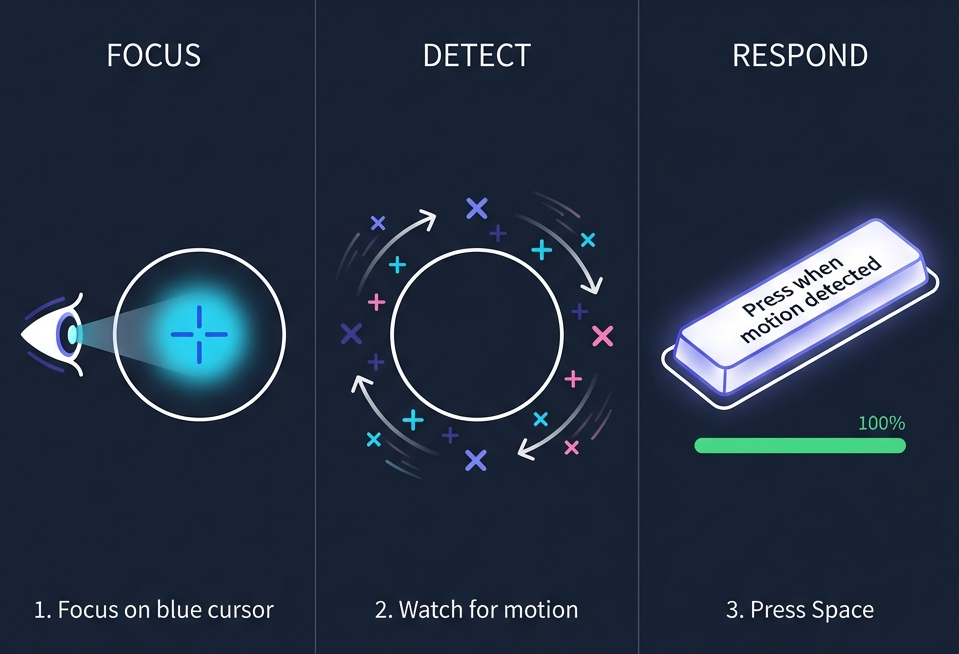
Calibration Instructions: 1. Focus on blue cursor, 2. Watch for motion, 3. Press Space
  1. Focus on blue cursor when it appears.
  2. Watch for motion outside the circle in your peripheral vision.
  3. Press Space (or tap) when you see motion resume.

💡 Tip: Don't try to guess the timing. Only press Space when you genuinely see the motion change in your peripheral vision.

This tool uses the Motion Silence Illusion: tiny rotating crosses appear static in your peripheral vision due to crowding effects, but sharp and colorful in your fovea.

"Wherever your fovea lands, the pattern suddenly pops into sharp, colorful detail."

By measuring where this transition occurs, we can accurately map your high-acuity foveal region.

Back to Home