The mark, the palette,
and the perceptual decay constants.
Scrutinizer's brand assets and the constants that drive its perceptual model. Copy-pasteable for designers building peripheral-aware UI, and citation-ready for papers that want to use the same numbers.
1. The mark
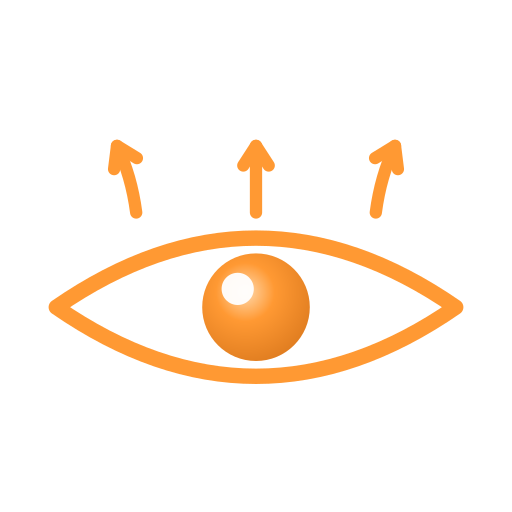
The orange eye with three arrows above — has been Scrutinizer's identity since the original 2008 implementation, lives in the Electron app as the URL-bar toggle that turns the perceptual simulation on/off. The arrows are extramission: the eye actively projecting attention outward, not passively receiving light. Three of them echo the engine's three concentric attention zones (fovea / parafovea / periphery).
Now ships as a deterministic SVG generated by gen_scrutinizer_logo.py: flat-vector, scales crisply 16px → 512px, dimensional iris orb gradient preserved, animatable iris group (clipped to almond, so future animation can move the eyeball without escaping the eye bounds).
Raster sizes (rendered from canonical SVG; matches
scrutinizer2025/renderer/assets/scrutinizer_*_icon.png):
512 ·
128 ·
48 ·
32 ·
16 ·
toggle (64)
Dark-mode strategy
One canonical mark, one optional dark-tuned variant.
The orange (#ff9933) IS the brand identity —
it has 9.28:1 contrast on the brand dark background and reads cleanly
on light backgrounds too. We don't recolor the eye for dark mode the
way you'd recolor a wordmark. The only difference between
canonical and dark-tuned is the catchlight:
white in canonical (universally legible),
orange-ink (#ffb366) in the dark-tuned
version (softer on dark backgrounds where pure white can feel hot).
For app-icon contexts (Dock, Windows tray, favicon) always use
canonical. For SVG-in-HTML contexts you can swap via
prefers-color-scheme if you want.
1b. Perceptual instruments
Visualizations of what Scrutinizer does, not what it
is. The foveal overlay mirrors the in-app
UI bullseye (fovea, parafovea, periphery — port of
scrutinizer2025/renderer/svg-overlay.js).
The engine sector cobweb mirrors what the engine
actually samples on (Blauch et al. 2026 isotropic cortical
sectors). Use these as figures, diagrams, or technical hero
images — not as the brand identity.


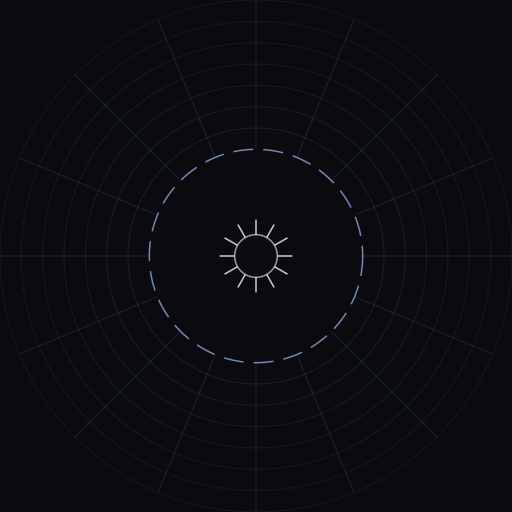
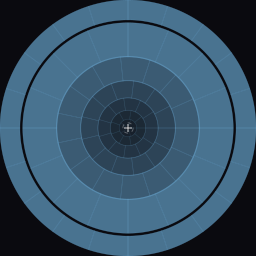
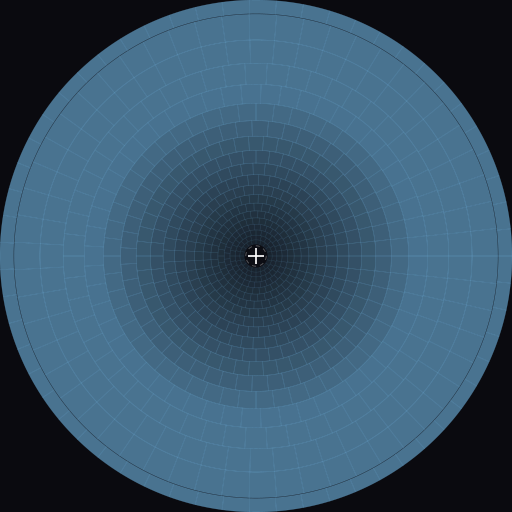
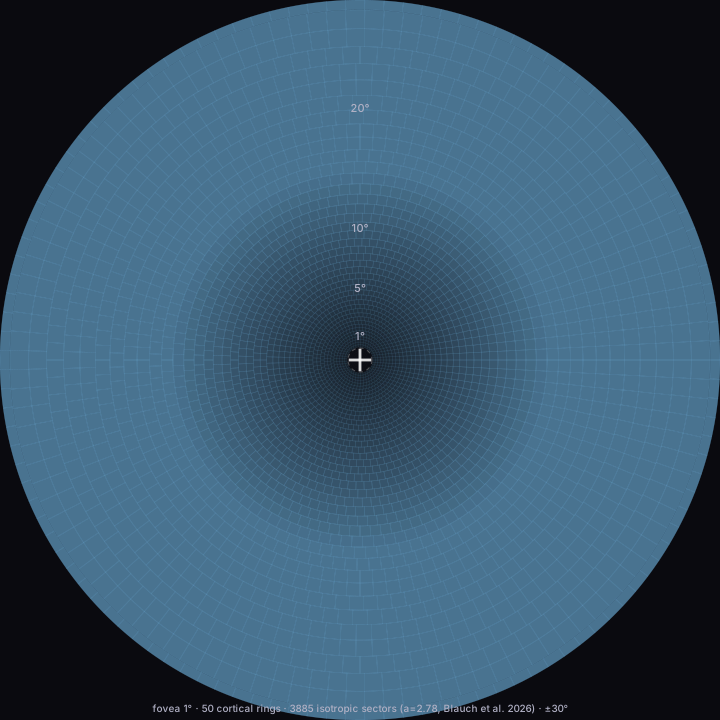



Generated by muriel.tools.diagrams.foveal_overlay
and muriel.tools.diagrams.engine_sectors_overlay.
Pin sizes, themes, and parameters via the muriel CLI to regenerate.
2. Brand colors
Long-wavelength visibility orange — chosen because it survives peripheral processing (see §3). Cool ink on OLED near-black. All text-tier tokens clear muriel's 8:1 contrast minimum on the canonical background.
Full brand schema (semantic states, viz palettes, typography scale, a11y rules): scrutinizer-brand.toml via the muriel style-guide schema.
3. Perceptual decay constants
Why orange? Because red-green opponency dies faster in the periphery than blue-yellow does. The L-M (red-green) channel is foveal: its midget-cell circuit only works in the dense central retina. The S-(L+M) (blue-yellow) channel has dedicated wiring across the entire retina and survives ~5× further into the periphery. These constants come from the Scrutinizer model and match Mullen & Kingdom (2002) + Bowers et al. (2025) suprathreshold data.
Live demo (interactive): see Peripheral color — what designers don't know about red.
4. Foveation constants — Blauch et al. 2026 model
The cortical magnification function (CMF) parameters used in Scrutinizer's isotropic-sectors layout. Drop these into your own pipelines for sector assignment compatible with Scrutinizer's outputs.
Drop-in JavaScript:
const SCRUTINIZER_CONSTANTS = {
  // Brand
  accent:           '#ff9933',
  accent_ink:       '#ffb366',
  background:       '#0a0a0f',
  ink:              '#e0e0ec',
  gaze_teal:        '#7dd4e4',
  // Chromatic decay (red-green dies first)
  sigma_lm:         120,           // px @ 1080 viewport (~8° half-life)
  sigma_by:         500,           // px @ 1080 viewport (~40° half-life)
  rg_decay_k:       0.072,         // per-degree, Bowers 2025
  // Foveation (Blauch et al. 2026 isotropic sectors)
  cmf_a:            2.78,
  fovea_radius_deg: 1.0,
  ecc_scaling:      0.75,
  num_rings:        50,
};
5. Colorblind-safe palettes
Five named palettes that survive deutan / protan / tritan deficiencies,
shipped via muriel.palettes. Use Wong unless you
need matched-lightness families for multi-panel figures (Tol).
Wong (8 colors)
Tol Bright (7 colors)
Tol Vibrant (7 colors)
IBM Carbon (5 colors)
Import in Python:
from muriel.palettes import WONG, TOL_BRIGHT, palette.
CLI: python -m muriel.palettes --swatches out.svg.
6. Typography
Inter for everything except code, JetBrains Mono for code. System fallback stack so the site is legible even before fonts load.
--font-body: 'Inter', -apple-system, system-ui, sans-serif;
--font-mono: 'JetBrains Mono', 'Fira Code', ui-monospace, monospace;
References
- Blauch, N. M., Alvarez, G., Konkle, T. (2026). Isotropic cortical sectors. (Foveation model used by Scrutinizer.)
- Bowers, J. et al. (2025). Suprathreshold chromatic contrast sensitivity across the visual field. (RG decay rate.)
- Mullen, K. T. & Kingdom, F. A. A. (2002). Differential distributions of red-green and blue-yellow cone opponency across the visual field. Visual Neuroscience 19(1), 109–118.
- Brown, J. et al. (2023). Bouma scaling for peripheral pooling. (ECC_SCALING = 0.75.)
- Wong, B. (2011). Color blindness. Nature Methods 8, 441.
- Tol, P. Color schemes — SRON technical note. Available at personal.sron.nl/~pault/.
- IBM Carbon Design System. Data-vis colorblind palette.